Key Takeaways
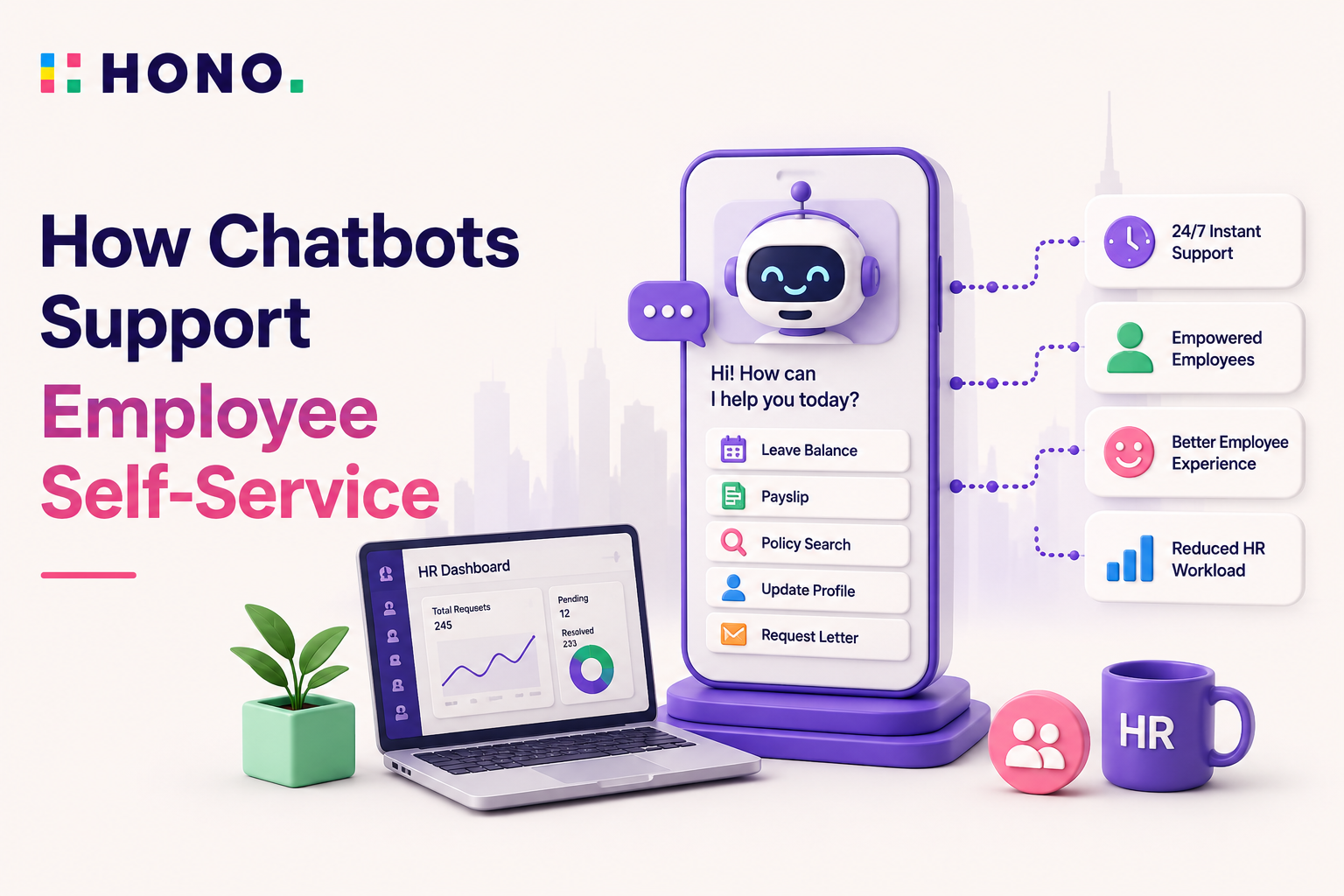
- An AI HR chatbot for employee self-service helps employees get answers and complete HR tasks through natural language conversations.
- Modern AI HR chatbots can handle leave requests, policy questions, onboarding support, document retrieval, and employee data updates.
- The best AI HR chatbots integrate directly with HRMS platforms to retrieve information and execute actions.
- Conversational AI is replacing traditional self-service portals by allowing employees to simply ask instead of navigate.
- Agentic AI is enabling HR assistants to move beyond answering questions and begin completing HR workflows autonomously.
For years, organizations have invested in employee self-service technology with a simple goal: reduce administrative work for HR while making it easier for employees to access information and complete routine tasks on their own.
In theory, it worked. In practice, many self-service portals created a new challenge. Employees had to remember where information was stored, navigate multiple screens, search through policy documents, and learn unfamiliar workflows just to complete simple tasks.
As a result, many employees continued doing what felt easier: emailing HR, raising tickets, or calling someone for help.
Today, AI HR chatbots are changing that experience.
Instead of logging into a portal and searching for answers, employees can simply ask a question in natural language and receive an immediate response. Whether it's checking leave balances, retrieving a payslip, updating personal information, or understanding a company policy, the interaction happens through a conversation.
This shift is particularly important as HR teams face increasing pressure to do more with fewer resources. According to Gartner, nearly half of HR leaders report that their current operating models are insufficient to meet growing business demands. At the same time, employees increasingly expect workplace technology to deliver the same level of convenience they experience in consumer applications.
An AI HR chatbot for employee self-service helps bridge that gap by providing instant support, reducing administrative burden, and creating a more intuitive employee experience.
Here's the HTML version of your content with proper headings, paragraphs, lists, and blockquotes:What Is an HR Self-Service Chatbot?
An HR self-service chatbot is a conversational assistant that helps employees access HR information and complete routine HR tasks through a chat interface.
Traditionally, organizations relied on employee self-service portals where employees could log in to view payslips, apply for leave, update personal information, and access policies. While these portals reduced some administrative workload, they often suffered from low adoption because employees had to learn where information was stored and how various workflows operated.
Modern AI HR chatbots take a different approach.
Rather than asking employees to navigate software, they allow employees to express their intent in natural language.
Instead of:
- Logging into a portal
- Searching through menus
- Finding the right form
- Completing multiple fields
Employees simply ask:
"How many annual leave days do I have left?"
or
"Can you send me my latest payslip?"
The chatbot retrieves the information or completes the task immediately.
This evolution reflects a broader shift in workplace technology from navigating systems to simply asking for outcomes.
Employee self-service has evolved through three distinct phases:
- Generation 1: Employee Self-Service (ESS) Portals
- Generation 2: Rule-Based AI HR Chatbots
- Generation 3: Conversational and Agentic AI Assistants
The newest generation combines conversational intelligence, workflow automation, and HRMS integrations to create a significantly more intuitive employee experience.
How AI HR Chatbots Support Employee Self-Service?
The most effective AI HR chatbot use cases focus on helping employees complete everyday tasks quickly and independently.
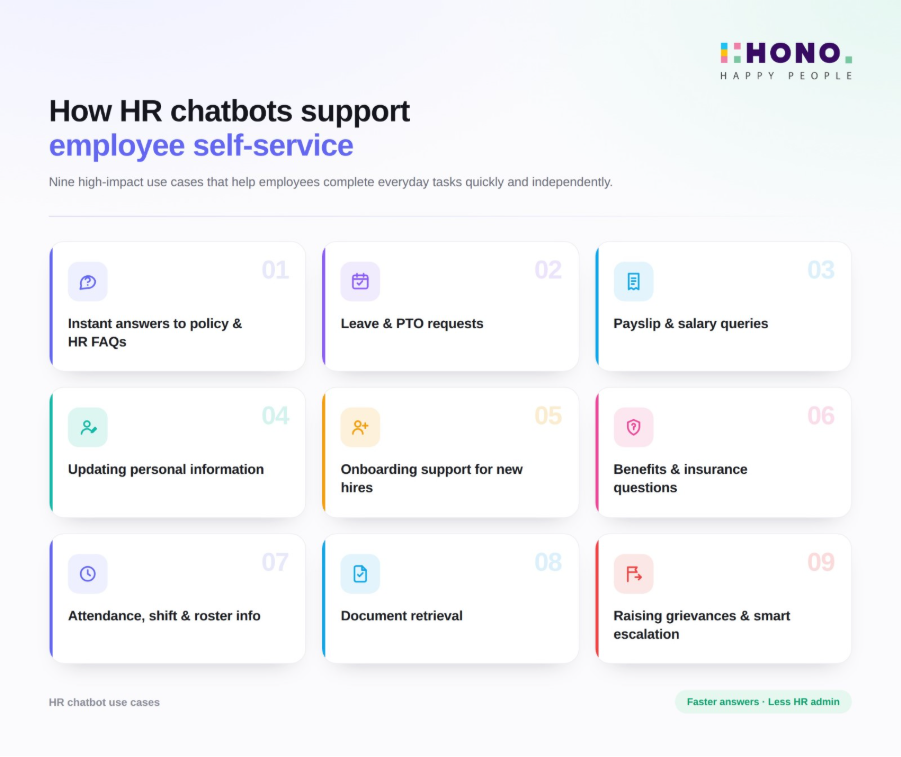
1. Instant Answers to Policy and HR FAQs
Employees frequently need answers about leave policies, compensatory off rules, expense reimbursement guidelines, notice periods, and workplace policies.
Rather than searching through lengthy policy documents, employees can simply ask a question and receive an immediate answer sourced directly from approved HR content.
2. Leave and PTO Requests
Leave management remains one of the most common HR transactions.
Employees can check leave balances, understand eligibility, submit requests, and track approvals through a single conversation. This eliminates unnecessary navigation while reducing administrative effort for HR teams.
3. Payslip and Salary Queries
Questions about salary deductions, bonuses, tax adjustments, reimbursements, or changes in net pay often require quick clarification.
An AI HR chatbot can retrieve payslips, explain payroll components, and answer common salary-related questions without requiring employees to raise support tickets.
4. Updating Personal Information
Employees frequently need to update addresses, bank account details, emergency contacts, or dependent information.
A chatbot can guide users through the process and submit updates directly into the HRMS, improving both convenience and data accuracy.
To complement this, organizations can also design QR codes that direct employees to self-service portals or HR resources.
5. Onboarding Support for New Hires
New employees typically have dozens of questions during their first few weeks.
An AI HR chatbot can provide onboarding guidance, answer frequently asked questions, share required documentation, and remind employees about pending tasks, creating a smoother onboarding experience.
6. Benefits and Insurance Questions
Questions about healthcare plans, insurance coverage, enrollment deadlines, reimbursement limits, and dependent eligibility can be answered instantly through a chatbot connected to benefits information.
This helps employees find answers without waiting for HR assistance.
7. Attendance, Shift, and Roster Information
For frontline, retail, healthcare, manufacturing, and field-based workforces, attendance and scheduling information is critical.
Employees can check attendance records, view shift schedules, verify roster assignments, and report discrepancies through a simple conversation.
8. Document Retrieval
Employees often need salary certificates, tax documents, employment verification letters, experience letters, and relieving letters at short notice.
A chatbot can retrieve or generate these documents immediately, significantly reducing turnaround time.
9. Raising Grievances and Smart Escalation
Not every issue should be handled by automation.
When employees raise sensitive concerns such as workplace disputes or employee relations issues, the chatbot can intelligently route conversations to the appropriate HR representative while preserving context and reducing resolution time.
How AI HR Chatbots Actually Work?
Understanding how AI HR chatbots work helps explain why modern systems are significantly more effective than earlier chatbot implementations.
At a high level, AI HR chatbots follow three steps:
- Understand the employee's intent
- Retrieve the relevant information
- Take action when required
The first step relies on conversational AI for HR capabilities.
Using natural language processing (NLP), the chatbot understands what an employee is asking even when questions are phrased differently.
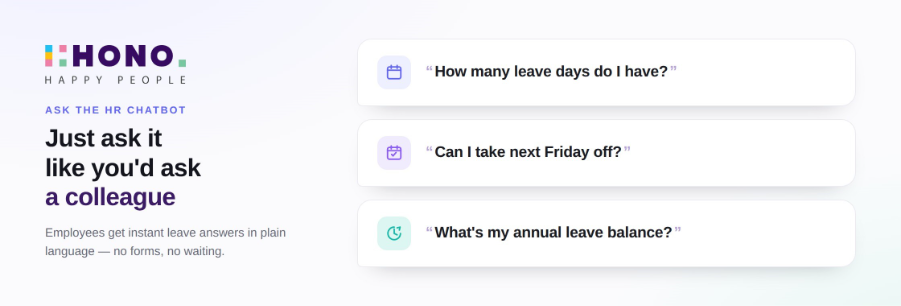
All represent variations of the same intent.
Once intent is identified, the chatbot retrieves information from connected systems such as the HRMS, payroll platform, attendance system, policy repository, or document management solution.
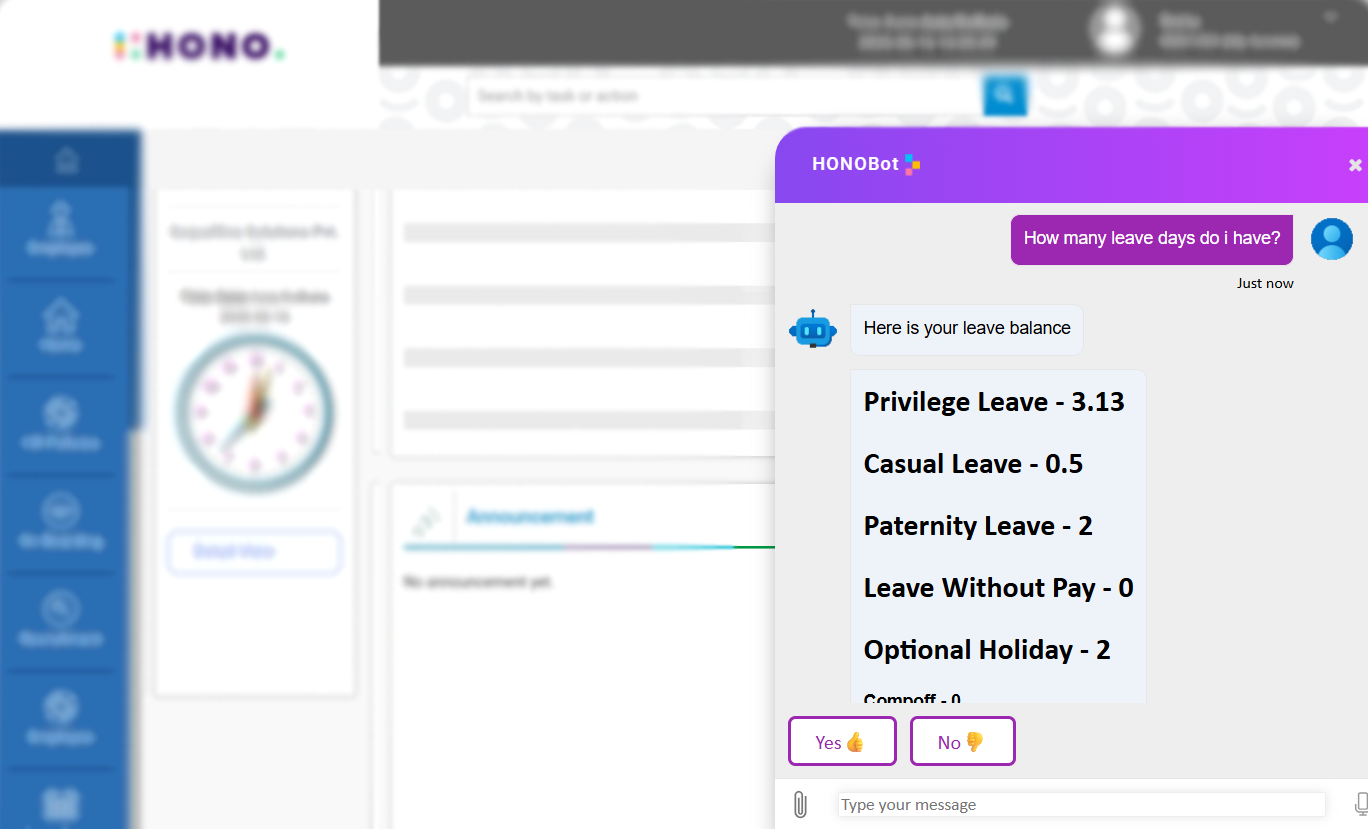
The final step is what separates a modern AI HR chatbot from a traditional FAQ bot.
Instead of simply providing information, today's systems can take action.
Employees can apply for leave, update personal details, retrieve documents, complete onboarding tasks, and initiate workflows directly within the conversation.
Increasingly, these capabilities are being powered by agentic AI in HRMS, which enables systems to orchestrate multiple actions autonomously while remaining compliant with organizational policies and approval structures.
Integration also plays a critical role.
The most successful AI HR chatbots are available within the channels employees already use, including Microsoft Teams, Slack, WhatsApp, mobile applications, and web interfaces.
The easier the chatbot is to access, the higher the adoption rate tends to be.
Traditional Chatbot vs. Conversational / Agentic AI
Not all AI HR chatbots are built the same way. Here's how the older generation of rule-based bots compares to modern conversational and agentic AI:
| Basis | Rule-based FAQ Chatbot | Conversational / Agentic AI |
|---|---|---|
| Understanding | Keyword matching | True intent understanding |
| What it does | Answers scripted FAQs | Answers questions and completes tasks |
| Coverage | Predefined, scripted topics | Open-ended, context-aware |
| Employee experience | Menu trees and decision flows | Natural conversation – just ask |
| Personalisation | Generic responses | Responds based on the individual's data |
| Action | Points employees elsewhere | Does the task within the conversation |
A rule-based chatbot might tell an employee how to apply for leave. A conversational, agentic HR assistant actually applies for it.
HONO's approach is built on this second model. Employees don't need to know which HR system holds their data, which portal handles their request, or which HR team member to contact. They just ask and the work gets done.
This is what Zero UI means in practice: removing the interface so employees can focus on the task, not the tool.
What Are the Benefits of HR Self-Service Chatbots?
For Employees
The most immediate benefit is time. Employees get answers without waiting for HR to be available, without navigating a portal they rarely use, and without the slight awkwardness of bothering someone for a simple question.
That last point is underrated. Questions about salary, personal updates, or sensitive HR matters are ones employees often hesitate to raise in an email or a conversation. A chatbot provides a more neutral, private channel.
Availability is the other big factor. An AI HR chatbot is available at 11pm when an employee is checking their payslip, and at 7am when they're applying for leave before a meeting. HR teams can't be, and shouldn't need to be.
For HR Teams
A self-service chatbot shifts the bulk of that volume away from HR, without the quality of response degrading.
In fact, consistency improves: the chatbot gives the same accurate answer every time, which reduces the risk of employees getting conflicting information from different HR contacts.
The time freed up goes toward work that actually needs human judgment: performance conversations, policy design, workforce planning, employee wellbeing.
That's a better use of HR expertise than answering leave balance queries.
What Are the Limitations and When to Keep a Human in the Loop?
An AI HR chatbot handles volume well. It does not handle nuance well — and that distinction matters.
Cases involving workplace disputes, termination conversations, mental health disclosures, and sensitive performance matters need a human. Not because the chatbot can't process the words, but because the employee needs to feel heard by a person, and because the stakes of getting it wrong are high.
Accuracy is also a function of what the chatbot is trained on. A chatbot with an outdated policy document gives confident wrong answers, which is arguably worse than no answer at all.
This means HR teams need to own the knowledge base actively, updating it when policies change, auditing it regularly, and monitoring for cases where the chatbot falls short.
The best implementations treat the chatbot and the HR team as a system, not a replacement: the chatbot handles what it can, escalates what it can't, and hands over with full context so the HR professional can step in without starting from zero.
Best Practices for Rolling Out an HR Self-Service Chatbot
1. Start with the Highest-Volume Queries
Look at your ticket data or HR inbox from the last three months and identify the ten questions that come up most often.
Build those out first. A chatbot that handles 80% of leave and payslip queries well is more valuable than one that handles 200 categories poorly.
2. Connect It to Your HRMS
A chatbot that can't access live employee data is limited to generic answers.
Integration with your core HR system is what enables personalised, accurate responses and what makes task completion possible.
3. Meet Employees Where They Already Are
Deploy in Slack, Teams, or WhatsApp rather than a standalone interface.
Adoption is largely a function of convenience, and employees are far more likely to use a tool that sits inside their daily workflow.
4. Build in a Clear Human Handoff
Define which query types route to a human and make the transition seamless.
The employee should be able to reach a person without having to start the conversation again.
5. Measure What Matters
Track deflection rate (queries resolved without HR involvement), resolution time, and employee satisfaction.
These three metrics will tell you where the chatbot is working and where it isn't. Review them monthly, not quarterly.
How HONO Delivers Conversational, Zero UI HR?
Most HR software is built around the idea that employees need to learn where things live. HONO is built around the opposite idea: employees shouldn't have to think about an interface and its learning at all.
HONO's conversational AI uses an agentic approach where employees simply ask, and HR work gets done.
Want to apply for leave? Ask. Want your salary certificate? Ask. Want to know if comp-off is available after last weekend? Ask.
The system understands the request, retrieves the relevant data, and acts on it, all within the conversation.
This is what Zero UI looks like in an HR context: no portal to log into, no menu to navigate, no separate system to learn.
Just a conversation, in the tool you're already using.
And for HR teams, it means fewer interruptions, fewer tickets, and more time for the work that actually requires their expertise.
Related Articles: 5 Best AI powered Employee Self Service Software in 2026Frequently asked
FAQs
See it live
Ready to see HONO in action?
Book a 20-minute demo tailored to your team's HR stack.
Request a demo
About the author
Mazna Majeed
Mazna is a strategic HR leader with over 10 years of experience driving talent success and organizational growth. As Head of Talent Acquisition and Operations at HONO, she leads HR initiatives across India and South-East Asia, including manpower planning, employee lifecycle management, talent development, engagement, and retention. Mazna is known for aligning people strategy with business goals, building inclusive high-performing teams, and strengthening culture to enable sustainable growth.